

What is an AI agent?
An agent is an AI team member. It answers phone calls and WhatsApp messages, follows up with people, and does small jobs for you, like saving a customer's details or telling your team about a request.
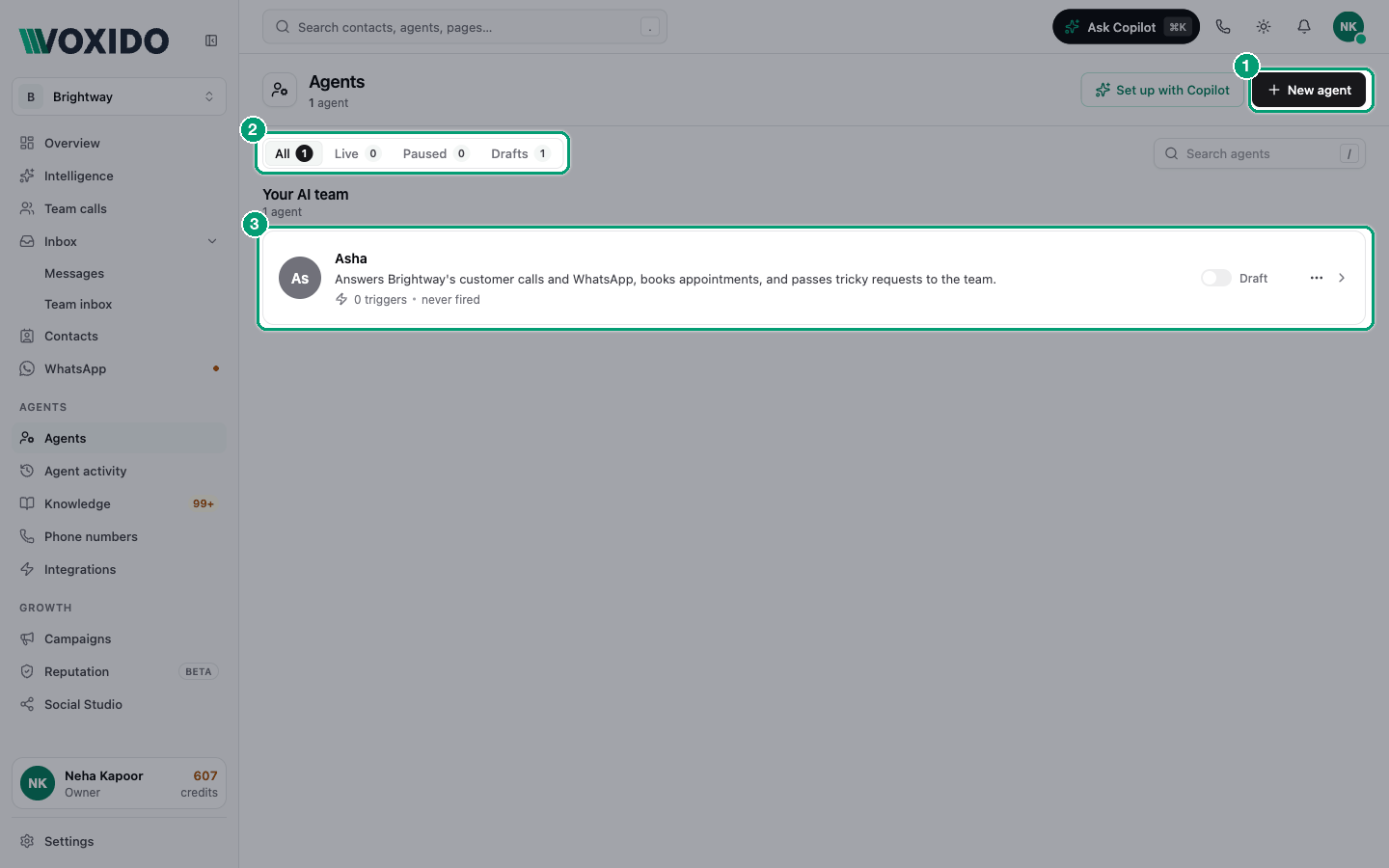
Find it: Sidebar → AgentsWho can use it: People whose role can edit agents (Owners and Admins by default).
Think of it like a new receptionist
Imagine you hire a receptionist for Brightway, a small service business. On day one you would:
- give them a short briefing: who they are, what their job is, what they must never do;
- hand them a binder of prices, opening hours and policies;
- tell them what they are allowed to do: book a slot, message a customer, call the manager;
- tell them when to start: when the phone rings, when a WhatsApp comes in, every morning at 9.
A Voxido agent works the same way. Each of those things is a section in the agent editor.
| Receptionist | Agent editor section | What it holds |
|---|---|---|
| The briefing | Instructions | Who the agent is, its job, its rules. See Write your agent's instructions. |
| How they sound on the phone | Voice | Voice, languages, call limits. See Voice. |
| How they chat on WhatsApp | Menus, flows and WhatsApp-only notes. See WhatsApp settings. | |
| What they are allowed to do | Skills | Actions such as "Send WhatsApp message" or "Notify the team". See Skills. |
| When they start work | Triggers | A call, a WhatsApp, a date, a schedule. See How triggers work. |
| The binder of facts | Knowledge | Prices, hours, FAQs, policies. See Knowledge. |
| What a good day looks like | Outcomes | What counts as success. See Outcomes. |
The editor also has Advanced (fine-tuning) and History (every change). See A tour of the agent editor.
Decide what kind of agent you need
Most businesses don't need one agent that does everything. A few small agents, each with one clear job, work better. Start with the problem that hurts most.
| Your problem | Build this agent | Starts when (trigger) | Skills it usually needs |
|---|---|---|---|
| "Calls and WhatsApp go unanswered after 7 pm." | Helpline / front desk | When a customer calls one of my numbers, When a customer messages on WhatsApp | Search knowledge base, Send WhatsApp message, Notify the team, End the phone call |
| "New leads go cold before anyone calls back." | Lead follow-up (sales) | When a customer messages on WhatsApp, or When a contact's status changes | Ask the contact a question, Update contact information, Move contact to a stage, Notify the team |
| "People forget appointments and payments." | Reminders | Before or after a contact date (for example, 1 day before) | Send WhatsApp template, Update contact information |
| "We answer the same ten questions all day." | Support | When a customer messages on WhatsApp | Search knowledge base, Flag a question we couldn't answer, Talk to a human |
| "Past customers never come back." | Win-back | On a recurring time | Send WhatsApp template, Update contact information |
| "We want more reviews and fewer surprises." | Feedback | Before or after a contact date (for example, 1 day after a visit) | Send WhatsApp template, Notify the team |
Start with one
Build the agent for your biggest problem first. Test it, put it live, and watch a week of conversations. Then add the next one. Ready-made prompts for each job are in Sample prompts.
Roles: a label for each agent's job
Every agent can have a Role, picked in the Skills section. A role tells Voxido which job the agent fills. It is used to route conversations between agents and for handoffs ("When done, hand off to"). It does not change what the agent says.
Voxido comes with these roles:
| For any business | For hotels |
|---|---|
| Inbound Capture, Qualifier, Support, Retention | Lead Capture, Front Desk, Pre-Arrival Upsell, Check-In / Check-Out, In-Stay Concierge, Reputation, Reactivation, Revenue Insights |
Need a role that isn't listed? Click Use a custom role key under the role picker, type a key such as admissions, and click Set. Voxido adds it to your roles. You can manage roles in Sidebar → Settings → Agent roles. Leaving the role on No specific role is fine for a single agent.
How an agent connects to the rest of Voxido
- Contacts. Every conversation is with a contact. The agent can read and save the contact's details.
- Phone numbers and WhatsApp. Calls and messages reach an agent through your numbers and its triggers.
- Your team. When the agent can't help, it can notify the team or hand the conversation to a person.
- Integrations. Some skills reach other apps, such as Google Calendar or a hotel's booking system, once they are connected.
Example: Brightway's three agents
Brightway runs three agents:
- Asha answers calls and WhatsApp, day and night. She answers from Knowledge and notifies the team when a customer needs a person.
- Leo — Lead follow-up replies to every new enquiry within a minute, asks three questions, and moves good leads to the "Qualified" stage.
- Riya — Reminders sends a WhatsApp reminder the day before each appointment.
When a customer, Priya Sharma, books an appointment through Leo, Riya reminds her the day before. If Priya calls with a question, Asha answers.