

Complete KYC to buy a number in India
Indian telecom rules say a business must prove who it is before it rents a phone number. This check is called KYC (Know Your Customer). You do it once, and then you can buy numbers.
Find it: Sidebar → Phone numbers → Compliance tab Who can use it: Owners and Admins
Before you start
Keep these two files ready. Each must be a PDF, PNG or JPG, up to 10 MB.
- [ ] Registration Certificate — the document that shows your business is registered.
- [ ] GST Certificate — your Goods and Services Tax registration.
You need both. One alone is not enough.
Submit your documents
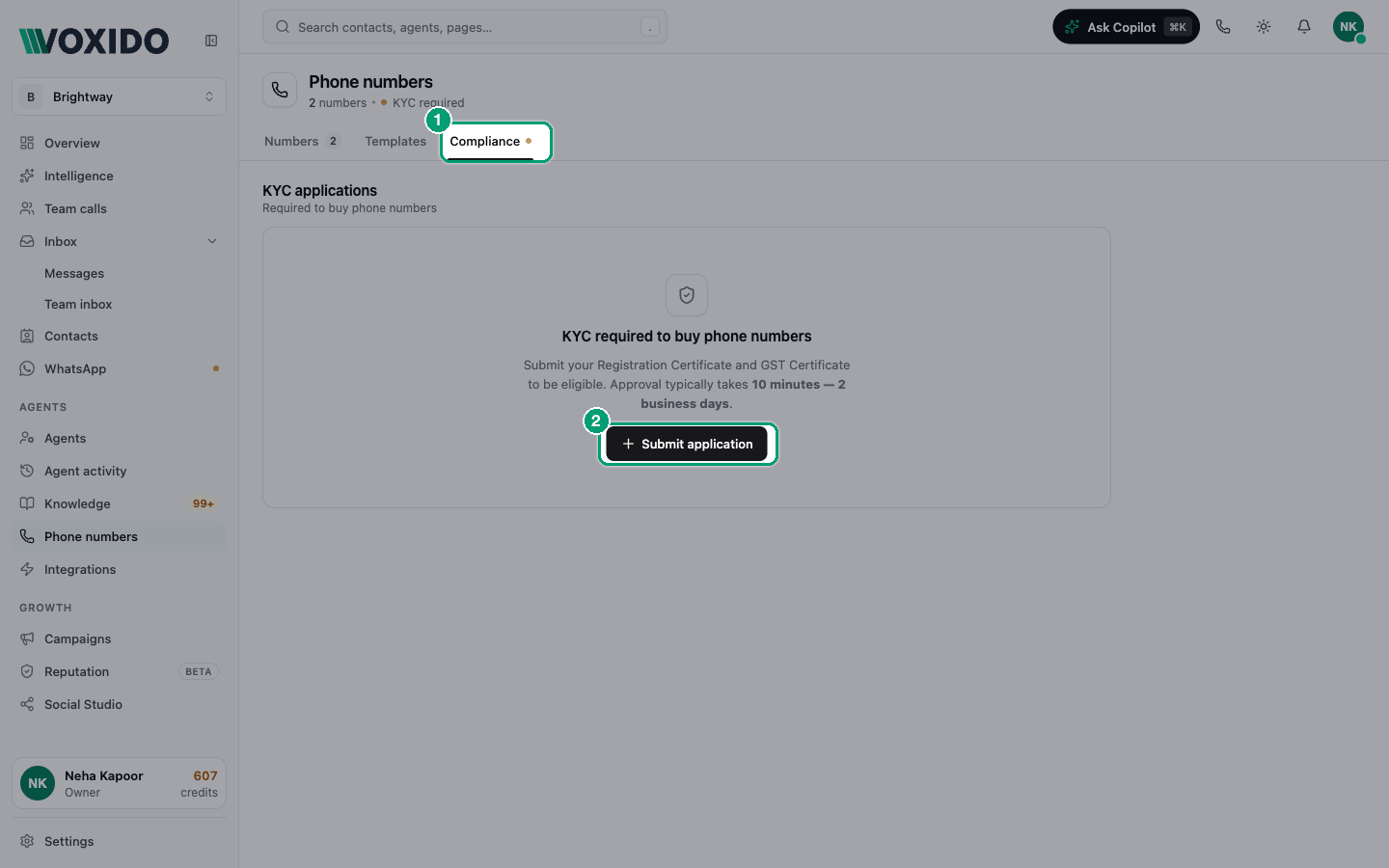
- Open Phone numbers and click the Compliance tab. You'll see: KYC applications. If you have none yet, you'll see "KYC required to buy phone numbers" and a Submit application button. If you already have one, the button is New application.
- Click Submit application (or New application). You'll see: a window called Add compliance application.
- Type a Display name, for example "Brightway India". This is only a label for the application (up to 80 characters). You'll see: Country set to India and Number type set to Local. These are the only options today.
- Click the Registration Certificate box and pick your file. Do the same for GST Certificate. You'll see: each file name with a green tick.
- Click Submit application. You'll see: "Compliance submitted" and your application in the list with the status Pending.
Review takes 10 minutes to 2 business days. You'll get an email when it's done. You don't need to keep the page open.
You can also do this while buying
If you click Buy number before KYC, the Compliance step shows the same form. Click Submit for review there.
What each status means
| Status | What it means | What to do |
|---|---|---|
| Pending | Someone is checking your documents. | Wait for the email. |
| Approved | You're verified. | Click Buy number. The wizard skips straight to picking a number. |
| Rejected | Something was wrong. The reason shows in red under the application. | Fix the problem and send a New application. |
| Revoked | An approval was taken back later. | Send a new application to keep buying numbers. |
How KYC affects buying
When you click Buy number and then Next, Voxido checks your latest application for India:
| Your latest application | What the Buy window shows |
|---|---|
| Approved | Skips to Pick a number. |
| Pending | "KYC under review". You can only close the window. |
| Rejected | The reason, and a form to send corrected documents. |
| None yet | The upload form. |
You can't pick or buy a number until an application is Approved. This check also runs on Voxido's servers, so it can't be skipped.
On the Numbers tab, a yellow "KYC required to buy phone numbers" note shows until you have an approved application. Click Go to Compliance to jump to the form.
Common problems
My application was rejected. Read the reason under the application. It tells you what to fix. Common fixes: upload a clearer scan, or upload the correct certificate in each box. Then send a New application.
The file won't upload. Use a PDF, PNG or JPG under 10 MB.
It has been more than 2 business days. Contact Voxido support with your application's display name.