

SMS and email templates
SMS and email templates are saved pieces of text, like a check-in reminder or a welcome email. They keep your wording the same every time.
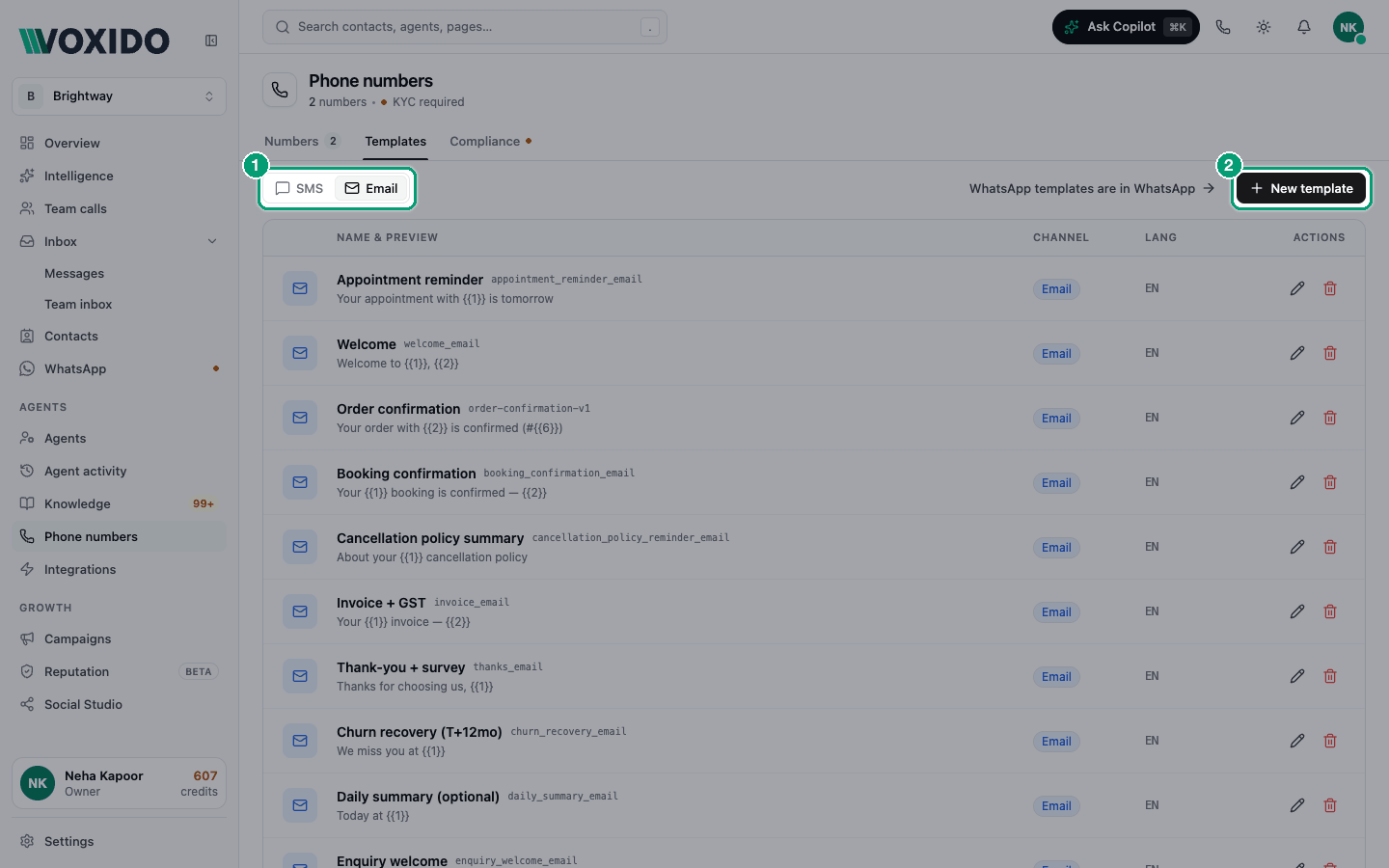
Find it: Sidebar → Phone numbers → Templates tab → SMS or EmailWho can use it: Owners and Admins
WhatsApp templates live somewhere else: click WhatsApp templates are in WhatsApp on this tab, or see WhatsApp message templates.
How SMS and email templates differ from WhatsApp templates
| SMS and email templates | WhatsApp templates | |
|---|---|---|
| Who approves them | Nobody. Saved means ready. | Meta must approve them. |
| How they're used | A saved copy your team reuses | Sent to customers by agents, flows, campaigns and the inbox |
| Where | Phone numbers → Templates | WhatsApp → Templates |
Your AI agent writes its own SMS and emails
When your agent sends an SMS or email, it writes fresh text. It doesn't pick a saved template by name. If you want the agent to always use certain words, put those words in the agent's instructions.
Create a template
- Open Phone numbers → Templates. Choose SMS or Email, then click New template. You'll see: Create template.
- Check the Channel (SMS or Email). It can't change after you save.
- Type a Name, for example "Appointment reminder".
- For email, type a Subject. It's required.
- Type the Message body (for email: Plain-text body).
- For email, you can add an HTML body (optional) for a formatted email. If you leave it empty, the plain text is used.
- Set the Language (for example
en) and click Create template. You'll see: "Template created", and the template in the list.
Examples
| Business | Channel | Name | Body |
|---|---|---|---|
| Brightway | SMS | Appointment reminder | Hi Priya, a reminder of your Brightway appointment tomorrow at 10:30 am. |
| School | Fee reminder | Subject: Fee reminder. Body: Dear parent, this term's fee is due on 15 June. | |
| Hotel | Check-in ready | Subject: Your room is ready. Body: Hi Priya, your room is ready for check-in. |
Edit or delete
- Click the pencil on a row to edit. Click Save changes.
- Click the bin to delete. Confirm when asked.
Where your emails come from
Emails your agent sends come from noreply@notifications.voxido.ai unless you add your own sender. To show your business name, or send from your own domain (like hello@brightway.in), set up a sender in Settings → Email aliases. See Email aliases.
Common problems
I can't save an email template. Email templates need a Subject.
I can't change a template from SMS to email. The channel is fixed after you save. Create a new template instead.
My agent didn't use my template. Agents write their own text. Put the exact wording in the agent's instructions.