

What is a knowledge base?
A knowledge base is your agent's reference shelf. It holds the facts about your business: prices, opening hours, policies, menus, course details, FAQs. When a customer asks something, the agent looks it up here instead of guessing.
On the Knowledge page, each knowledge base is called a library. In the agent editor it's called a knowledge base. Same thing.
Find it: Sidebar → Knowledge
Why it matters
Without a knowledge base, an agent only knows its instructions. Ask it "Do you work on Sundays?" and it can't be sure. With one, it finds the answer in your documents. If the answer isn't there, it's told not to make one up, and the question is saved for you to review.
Pick your path: what goes in a knowledge base?
| Put it in… | Examples | Why |
|---|---|---|
| The knowledge base | Price list, service menu, timings, refund policy, FAQs, brochure, course syllabus, doctor list | Facts the agent looks up when asked. Easy to update without touching the agent. |
| The agent's instructions | Tone, goal, steps to follow, what never to say, when to hand over | How the agent behaves in every conversation. See Writing instructions. |
| A connected app or Custom API | Today's free slots, a customer's balance, live room availability | Changes all the time and lives in another system. See Use connected apps and Custom APIs. |
Before / after
- Before: the instructions contain a 3-page price list. The agent is slow and mixes up prices.
- After: the instructions say "Quote prices from the knowledge base only". The price list is one document. The agent finds the right line every time.
What can go into a library
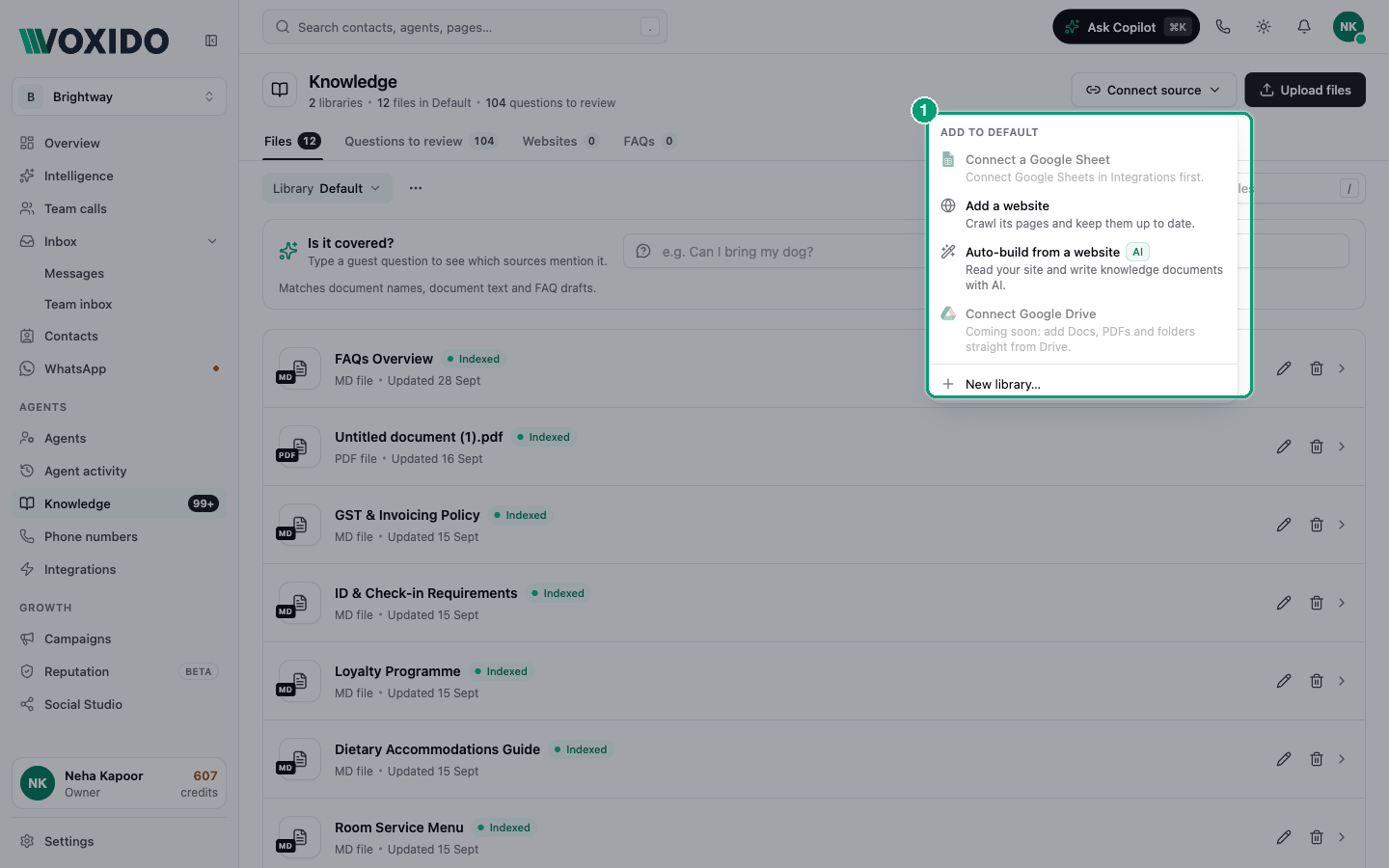
| Content | How it gets in | Page |
|---|---|---|
| Files (PDF, Word, Excel, CSV, text) | Upload files | Upload documents |
| Pasted text | Add text in the agent's Knowledge section | Agent Knowledge |
| Website pages | Connect source → Add a website | Import a website |
| AI-written documents from your website | Connect source → Auto-build from a website | Auto-build |
| Rows of a Google Sheet | Connect source → Connect a Google Sheet | Google Sheet |
| Approved answers to real questions | Questions to review → Approve and add | Review questions |
A tour of the Knowledge page
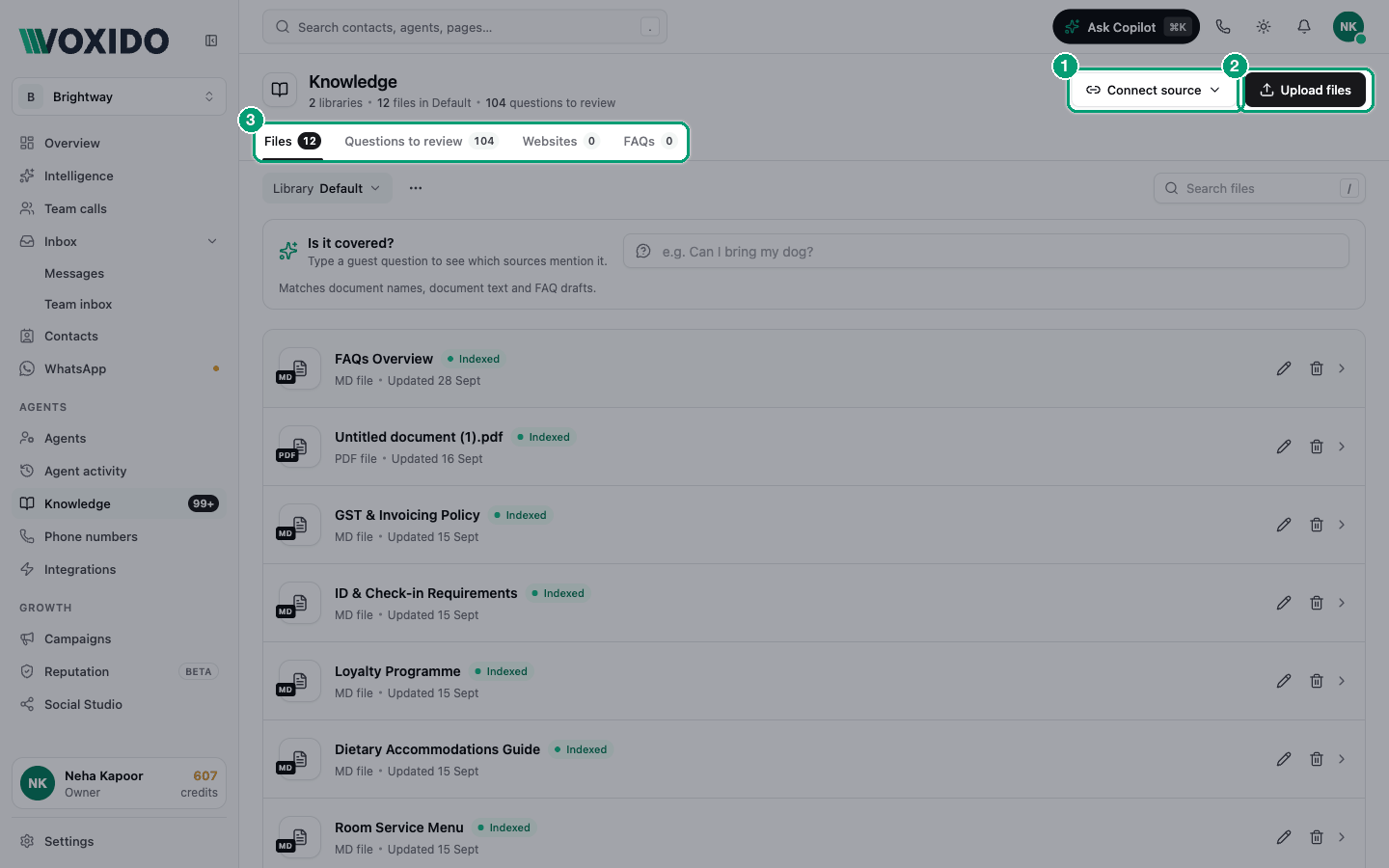
- Header: how many libraries you have, how many files are in the selected one, and how many questions are waiting for review. Buttons Connect source and Upload files.
- Tabs:
- Files — documents in the selected library, plus an Is it covered? box to test a question.
- Questions to review — questions your agents couldn't answer, with drafted answers.
- Websites — websites imported into this library.
- FAQs — answers you approved from the review queue.
- Library picker (below the tabs) — choose which library you're looking at. The ⋯ next to it lets you rename or delete it.
How agents use it
- You put content in a library.
- You switch that library on for an agent, in the agent's Knowledge section.
- When a customer asks a fact, the agent searches the libraries it has and answers from what it finds.
A library does nothing until it's switched on for at least one agent. One library can serve many agents. See How your agent searches.
If the page is locked
On some plans, Knowledge is locked. Buttons like Upload files or New library… then open an upgrade window instead. Upgrading unlocks them.
If you can't see Knowledge in the sidebar at all, you don't have permission to manage it. Ask an Owner or Admin.