

Start an agent when a contact changes
These two triggers watch your contacts instead of the clock or the inbox:
- When a contact's status changes — a person moves a contact to another stage.
- When a contact's info matches — a contact field matches a rule you set.
Find it: Sidebar → Agents → open an agent → Triggers → Add trigger → Contact changes
Pick your path
| Your problem | Use | Why |
|---|---|---|
| "When our team marks a lead 'Visit booked', send the address." | When a contact's status changes | Fires once, right away, when a person moves the stage. |
| "When a deal is marked 'Won', send a thank-you and ask for a review." | When a contact's status changes | Same: a one-time event. |
| "Anyone 3+ days overdue on payment should get a reminder." | When a contact's info matches | It's about a value on the contact, not a single moment. |
| "Remind anyone whose 'Documents received' is still No." | When a contact's info matches | It keeps checking until the value changes. |
When a contact's status changes
Settings
| Setting | What it does |
|---|---|
| From state | The stage the contact must be leaving. Any stage matches all. |
| To state | The stage the contact must be arriving in. Any stage matches all. |
| Limit to contacts (optional) | Extra rules the contact must also match. |
Set it up
- Open your agent → Triggers → Add trigger → When a contact's status changes. You'll see: From state, To state and Limit to contacts (optional).
- Leave From state as Any stage, and set To state to the stage you care about, for example "Visit booked".
- Close the trigger row. You'll see: a summary that starts "From any state → to …".
If you have no stages yet, the list says to add one in Settings → Contact Stages.
What counts as a status change
| Who moved the stage | Fires the trigger? |
|---|---|
| A team member changing the stage on a contact | Yes, right away |
| A team member logging a call outcome that sets a stage | Yes |
| A contact import that updates the stage of existing contacts | Yes |
| An agent using the Move contact to a stage skill | No |
| An agent's Outcomes moving the contact when it finishes | No |
Agents don't start other agents through stages
A stage move made by an agent never fires this trigger. This stops agents from setting each other off in a loop. To pass work from one agent to another, use the Send to another AI agent skill.
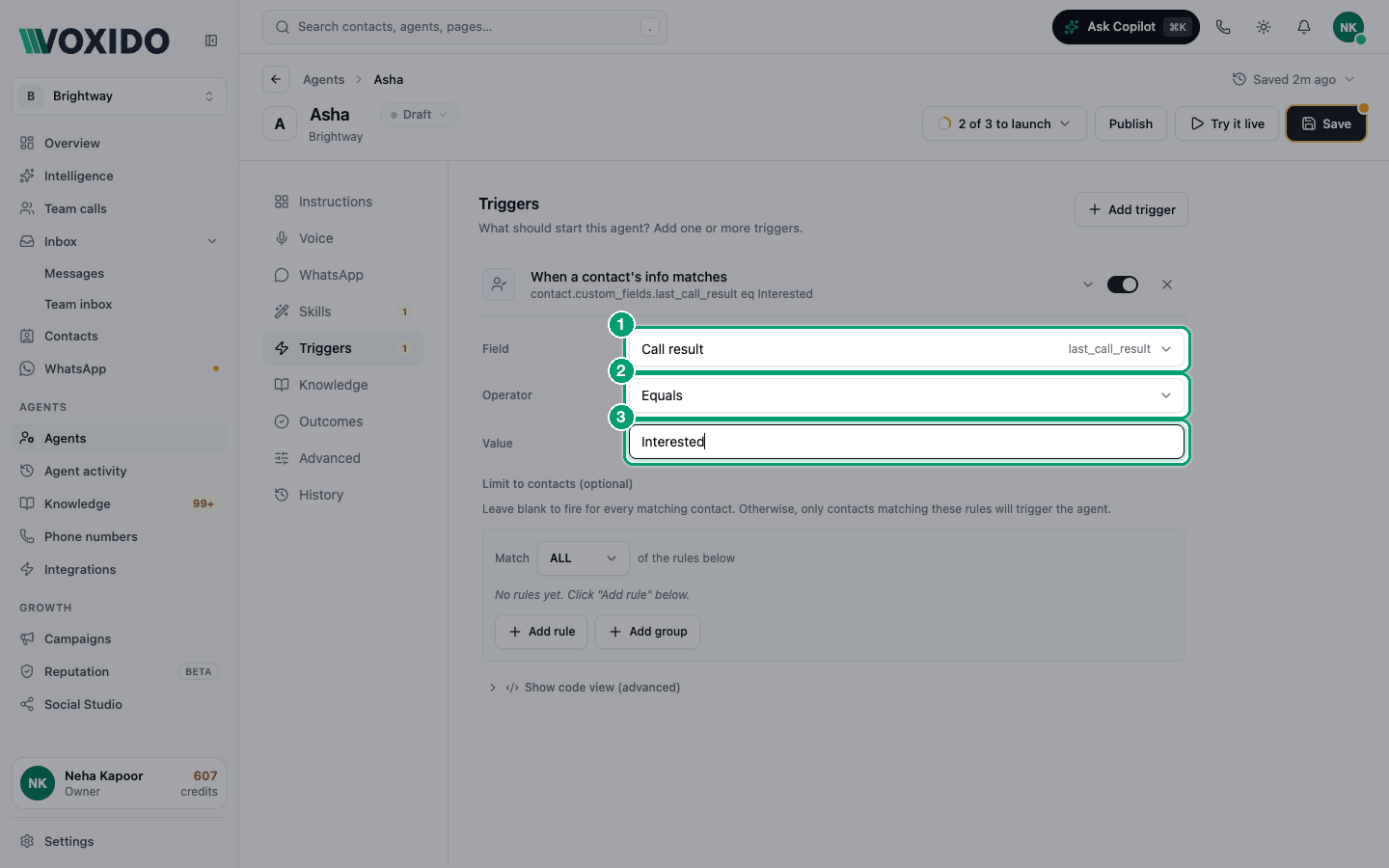
When a contact's info matches
Settings
| Setting | What it does |
|---|---|
| Field | The contact field to check: built-in ones like name, phone, stage, tags, or your custom fields. |
| Operator | How to compare (see below). |
| Value | What to compare with. Hidden for operators that don't need one. |
| Limit to contacts (optional) | Extra rules the contact must also match. |
Operators
| Group | Operators |
|---|---|
| Equality | Equals, Not equals, Is true, Is false |
| Numeric | Greater than, At least, Less than, At most |
| List | Is one of, Is not one of (comma-separated values) |
| Text | Contains, Does not contain, Is not empty, Is empty |
| Date | Hours since (≥) — at least this many hours since the date in the field |
Set it up
- Open your agent → Triggers → Add trigger → When a contact's info matches.
- Pick the Field, for example "Days overdue".
- Pick the Operator, for example At least, and type the Value, for example
3. - Close the trigger row. You'll see: a short summary of your rule on the trigger row.
It fires again every day while the contact still matches
Voxido checks every minute. A matching contact gets the agent once per day, and again the next day if they still match. To stop repeats, make the match end: have the agent update the field, move the contact on, or add a Limit to contacts rule that stops matching after the first contact (for example "Reminder sent" is empty).
This trigger can reach many people at once and uses credits for each. Publishing an agent with it shows Activate this agent? first.
Examples
- Real estate: status changes to "Visit booked" → agent sends the site address and a map pin.
- Retail: status changes to "Delivered" → agent asks for a review 1 day later (or use a date trigger on a "Delivered on" date).
- Loan recovery: info matches "Days overdue" At least 3 → daily reminder until paid. Make the agent stop once the borrower says they paid, using Notify the team.
- Clinic: info matches "Report ready" Is true and "Report sent" Is false → the agent tells the patient, then sets "Report sent" to true with Update contact information.
Common problems
The status trigger didn't fire after my agent moved the stage. That's by design. Only moves made by people fire it. Use Send to another AI agent instead.
The info trigger messages the same person every day. They still match. Change the field after the agent acts, or tighten the filter.
The info trigger never fires. Check the field name and value, and that the agent is Active. See Troubleshooting.